How to Properly Size Images for Social Media

Michael Brown
Social Media Manager
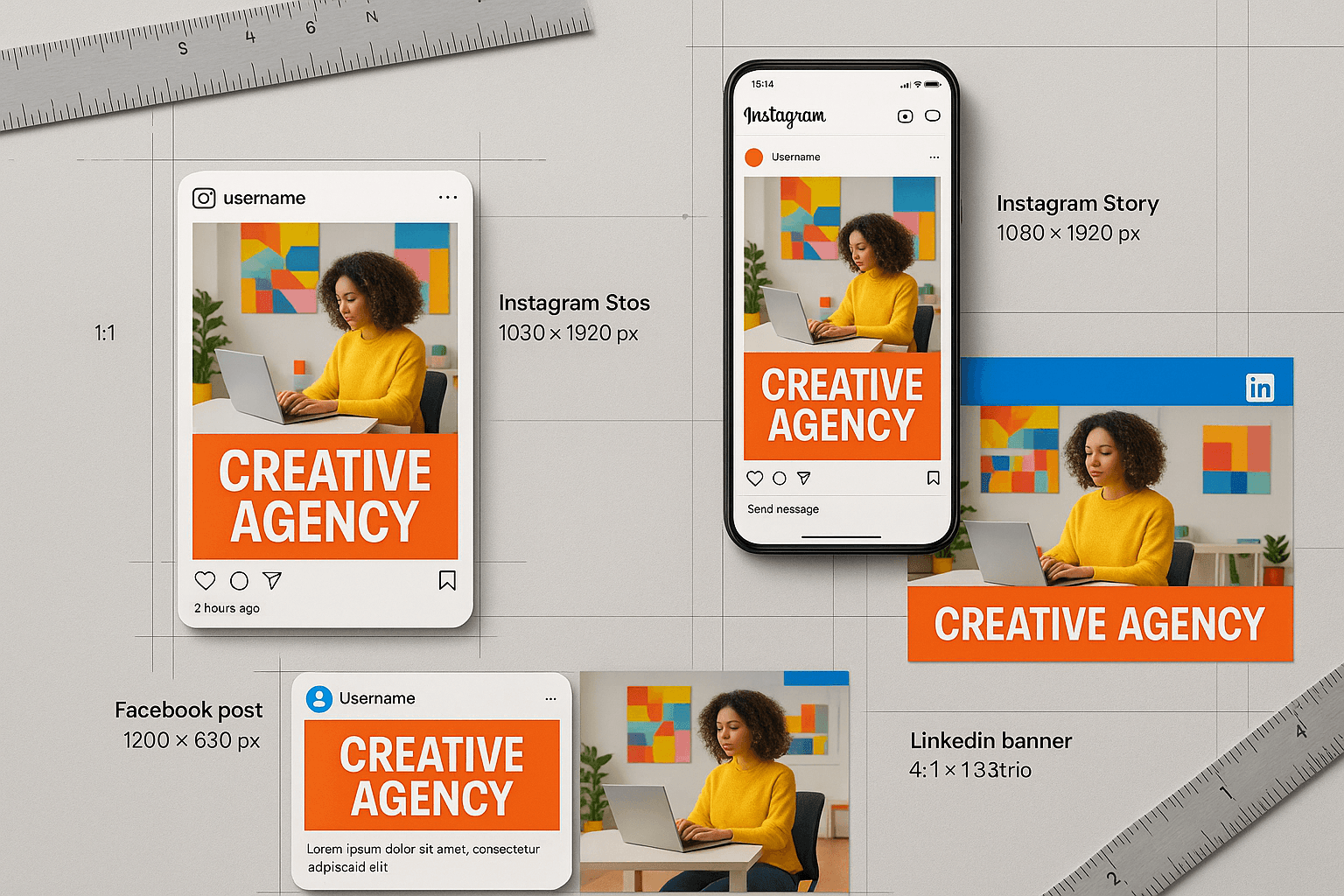
In the visual-first world of social media, your image is your first impression. A pixelated, cropped, or awkwardly stretched image can instantly damage your brand's credibility. Each platform has its own unique set of rules and algorithms for displaying images, and these rules change frequently. Here is your definitive guide to mastering social media image sizing in 2025.
The Golden Rule: Aspect Ratio vs. Resolution
Before diving into specific numbers, it's crucial to understand that aspect ratio (the relationship between width and height) is often more important than raw resolution. Platforms will resize your image, but if the aspect ratio is wrong, they will crop it, potentially cutting off important text or visuals.
Platform-Specific Master Guide
1. Instagram: The Visual Giant
Instagram is strictly visual, so quality is paramount. It supports three main formats:
- Square (1:1):
1080 x 1080px. The classic format. Safe, reliable, and looks good on the grid. - Portrait (4:5):
1080 x 1350px. PRO TIP: This is the best format for engagement. It takes up more vertical screen real estate on mobile, keeping users on your post longer. - Landscape (1.91:1):
1080 x 566px. Generally avoided as it looks small on mobile screens. - Stories & Reels (9:16):
1080 x 1920px. Full-screen immersive content. Keep important elements (text, logos) within the center 'safe zone' to avoid being covered by UI elements.
2. Facebook: The Versatile Network
Facebook is tricky because images appear in so many different contexts (News Feed, Groups, Events, etc.).
- Shared Image:
1200 x 630px(1.91:1 ratio). This is the standard link preview size. - Event Cover:
1920 x 1005px(16:9 ratio). - Group Cover:
1640 x 856px(1.91:1 ratio). Note that mobile crops this differently, so keep text centered vertically.
3. LinkedIn: The Professional Standard
Professionalism means crisp, uncropped images.
- Shared Image/Link:
1200 x 627px(1.91:1 ratio). Similar to Facebook. - Profile Banner:
1584 x 396px(4:1 ratio). A very wide format that requires careful design.
4. Twitter / X: The Feed Stream
- In-Stream Photos:
1600 x 900px(16:9 ratio). Twitter has improved its cropping, but 16:9 is the safest bet for full visibility.
Best Practices for All Platforms
1. Centralize Your Subject
Since different devices and platforms crop images differently, always keep your main subject and text in the center of the frame. This 'safe zone' ensures your message is never lost.
2. File Size and Format
- Format: JPG is generally best for photos, PNG for graphics with text.
- Size: Keep files under 8MB. Heavy images can fail to upload or get aggressively compressed by the platform, looking muddy.
3. Color Profiles Matter
Always export your images in sRGB color space. Browsers and mobile apps are designed for sRGB. Using AdobeRGB or CMYK will result in washed-out or neon-looking colors when posted.
Tools of the Trade
You don't need to memorize these numbers. Use tools to automate the process:
- Canva: Excellent pre-made templates for every platform.
- Figma: Great for creating your own reusable templates.
- Social Media Schedulers: Tools like Buffer or Hootsuite often have built-in image editors that crop for you.